How to write on sheet music: pencil rules, app tools and the best annotation apps
The markings players add, the pencil rules libraries expect, a step-by-step method for annotating in an app, and how 12 apps compare on annotation tools as of October 2026.
SheetMusicApps Editorial Team·Published ·8 min read
Disclosure: Newzik is a commercial partner of SheetMusicApps. Rankings follow our published methodology, and every app's facts come from official sources and are fact-checked twice. Read our disclosure
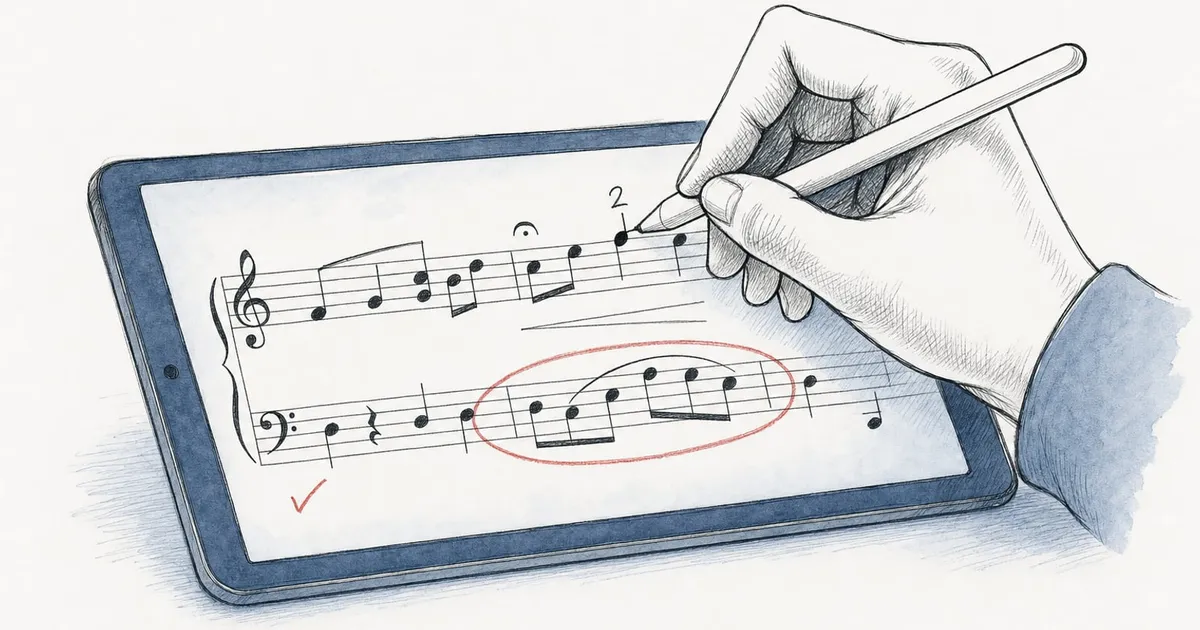
Writing on sheet music now means two things: pencil marks on a printed part, and pen, highlighter, text and stamp tools in a tablet app. The habits carry over from one to the other. This guide covers the markings players add, the rules libraries expect on paper, how to annotate in an app step by step, and which app has the best annotation tools in our scores as of October 2026.
What do musicians write on sheet music?
Mostly reminders that save rehearsal time: how to play a passage, where to breathe, what to skip and when to look up. The usual markings:
Fingerings: small numbers by the note, only where the fingering isn’t obvious. In the Henle Library app you can also switch printed artist fingerings on or off.
Bowings: down-bow and up-bow signs, slurs and hooked bows. In an orchestra the concertmaster and section leaders usually decide them, and the library copies them into every part.
Breath marks: a comma or check mark where a wind player or singer breathes.
Dynamics and articulation: changes the conductor asks for, or printed marks you keep missing.
Cuts: a note such as “Go to p. 7” where the cut starts.
Cues: a few notes of another part before a long rest ends, so you know when to come in.
Eyeglasses: a small pair of glasses drawn above a passage as a warning, for a tempo change, an exposed entry or a beat to watch.
Navigation: counts in long rests, rehearsal letters you need to find fast and reminders before a quick page turn.
What are the rules for marking paper parts?
Use a soft pencil, mark lightly, and erase what only mattered to you before the part goes back. Edinburgh Music Library’s care notes for borrowed sets (revised February 2026) ask for a soft pencil, ideally B or 2B, and never ink or highlighter, and they ask groups to remove their pencil marks before returning a set.
The same notes say not to score out whole pages for a cut: write “Go to p. X” in soft pencil instead. Sticky tape, staples and folded corners also damage pages, and sets returned in poor condition can be sent back for cleaning or charged for.
Orchestras work the same way. The Tonhalle-Orchester Zürich describes its librarians copying bowings, dynamics and articulation from the first desks into the tutti parts in a soft pencil that can be erased when something changes in rehearsal. Even on music you own, light pencil lets you change a fingering next season without a smudge.
How do you annotate sheet music in an app?
Open the score, switch to annotation mode, pick a tool and write. The app stores your marks on top of the PDF, so the original stays clean. The steps follow forScore’s user guide, and other readers work the same way.
Enter annotation mode. In forScore, choose Annotate from the tools menu or touch and hold the page. With an Apple Pencil you can set it to start drawing as soon as the tip touches the screen.
Pick a pen or highlighter. Save the colors and widths you use as presets: forScore allows unlimited custom presets, Piascore has six configurable pens, and Henle Library offers four widths from thin to marker.
Add text. Text boxes hold words such as “listen to oboe”. forScore and Enote also accept Apple Pencil handwriting through Scribble, which turns it into typed text.
Use stamps for standard symbols. Stamps place clean dynamics, accidentals, fingerings or bow marks. forScore includes stamps and lets you make your own (forScore Pro adds almost 400 more), MobileSheets has hundreds plus custom stamps, Piascore has stamps for dynamics, fingerings and accidentals, and nkoda sorts its symbols into 27 categories.
Draw shapes. Slurs and hairpins look better as shapes than freehand. forScore has dynamic shapes, MobileSheets a crescendo tool, Newzik a Shapes tool (added in February 2026) and nkoda scalable slurs and hairpins.
Put markings on layers. A layer keeps one set of marks apart from the rest. forScore layers can be hidden or shown for all pages at once, MobileSheets lets you choose which layers are visible, and Newzik hides a layer with the eye icon next to its name.
Fix mistakes. Undo and redo cover your last strokes, the eraser removes single marks, and a selection tool moves or copies a group. forScore’s offers Move, Duplicate, Copy, Cut, Adjust and Clear.
Export an annotated PDF. To send your markings to someone who uses another app, export a PDF with the annotations drawn in. forScore and MobileSheets do this, Enote prints or exports with or without annotations, and Piascore needs its $5.99 Full Upgrade to export.
Should you annotate with a stylus or your finger?
A stylus is more precise for small numbers and accidentals, but a finger works too. forScore lets you draw with a finger or an Apple Pencil, and SongbookPro accepts a stylus, Apple Pencil or finger.
If you use a stylus, turn on a pencil-only setting so your fingers can turn pages and scroll without leaving stray lines. forScore calls it Prevent finger drawing, and Piascore added an Apple Pencil-only option in version 7.0.6. MobileSheets supports stylus pressure and lets you assign tool shortcuts to a stylus button, which helps on Android tablets that come with a pen.
Apple Pencil Pro adds a squeeze gesture that some readers use: MobileSheets added squeeze actions to its annotation editor in version 3.9.45, and forScore Pro adds Apple Pencil hover and squeeze gestures. Which pencil works with which tablet is covered in our guide to the best iPad for sheet music.
Which app has the best annotation tools?
forScore has the best annotation tools in our scoring, 9.5 out of 10, ahead of MobileSheets and Newzik at 9. Our annotation criterion rewards pens, highlighters, text and symbols, layers you can hide or share, stylus precision and easy editing, as set out in how we rank.
Pen, highlighter, text, shapes, arrows, crescendo and piano-staff tools, hundreds of stamps, layers, stylus pressure
Newzik
9
Pens, highlighters, shapes, symbols, text, pictures, private, public or shared layers
Enote
8
Pen, highlighter, shapes, bar-line and straight-line tools, text, lasso, layers
Piascore
7.5
Six pens, stamps, text boxes, shapes, without advanced layers
unrealBook
7.5
Colored pens and highlighters, text notes, hot spots
nkoda
7
Pens, highlighters, text, lasso, symbols in 27 categories, unlimited layers
Henle Library
7
Four pen widths, text, symbols in Henle’s music font, named layers
Planning Center Music Stand
7
Pen, highlighter, text, eraser, shared with the team
BandHelper
7
Pen, highlighter, sticky notes, white-out, shared or personal
OnSong
6.5
Pen, highlighter, layers, sticky notes, text (Premium only)
SongbookPro
6.5
Freehand in 20 colors, highlighter, typed notes
Musicnotes and Tomplay score 6 for annotation. MuseScore and Sheet Music Direct have no annotation tools, Soundslice has no pen or highlighter, and PlayScore 2 has a freehand pen on iPad only.
forScore’s lead comes from the depth of its tools and its Apple Pencil precision, but it runs only on Apple devices. MobileSheets matches most of that toolset on Android, Windows and iPad for a one-time price, though its developer lists an update to the annotation editor as still to come. Newzik covers the same kinds of tools, and our profile notes that some reviewers find them less fluid than forScore’s; where it pulls ahead is sharing layers with other players.
Our profile data for the four main PDF readers:
Features
forScore
MobileSheets
Newzik
Piascore
Annotation & practice
AnnotationDraw, write, highlight or stamp markings on your scores.
Yes
Yes
Yes
Yes
Audio linked to scoresAttach recordings or backing tracks and play them from the score.
Yes
Yes
Yes
Paid plan
RecordingRecord yourself inside the app.
Yes
No
Yes
Paid plan
MetronomeA built-in metronome.
Yes
Yes
Yes
Yes
TunerA built-in tuner.
Yes
No
Yes
Paid plan
Sharing & ensembles
SharingShare scores, with your annotations, with other users inside the app.
Yes
Yes
Yes
Partly
Ensemble toolsDistribute parts, share or broadcast annotations, and manage a band, choir, school or orchestra.
Partly
Partly
Paid plan
No
How do you share markings with a section or ensemble?
Newzik and Planning Center Music Stand share markings between players’ accounts, while MobileSheets and forScore share them through linked tablets or files. The right one depends on how your group already works.
Newzik: in a Project, each member’s markings sit on a layer that can be private (only you), public (everyone sees it, only you edit it) or shared (everyone can see and edit it). Parts and layers sync in real time, so a principal’s bowings reach the section’s iPads before rehearsal. Essentials, a $24.99 one-time purchase, includes one Project, and unlimited Projects need Premium. Skip it if your section reads on Android or Windows tablets (only Newzik Web in a browser) or needs linked page turns, which Newzik dropped in 2021.
Planning Center Music Stand: musicians open a teammate’s annotations, such as the worship leader’s, then merge them with their own or replace their own. You can also import your notes from another key of the same arrangement. Marks made offline reach others only after they sync, and Music Stand works only inside a church’s Planning Center Services account.
MobileSheets: since version 3.9.35 (March 2026), annotations sync between tablets linked with Connect Tablets, with a choice of layers, across Android, Windows and Apple devices. Otherwise you share songs as .msf packages or as PDFs with the annotations embedded.
forScore: send a score as a 4SC file, which keeps annotations editable for another forScore user, or as an annotated PDF for anyone else. There is no shared library or account-based sync between players.
Others: BandHelper keeps shared and personal annotations for everyone in a band account. nkoda and Enote share annotation layers with other users of the same app (Enote recipients get static copies), and Henle Library sends layers to someone who owns the same Henle edition.
Choose by platform first, then by whether your markings stay with you or go to a group.
Solo on iPad or Mac: forScore, the highest annotation score, for a one-time $24.99.
Android, Windows or a band with mixed devices: MobileSheets, with layers, stamps and stylus pressure on every platform it supports. See forScore vs MobileSheets.
Sharing markings with a section: Newzik, whose shared layers earn our highest collaboration score (9.5 out of 10).
Church teams on Planning Center: Music Stand, to bring in the leader’s markings.
Catalog scores: nkoda has symbol toolboxes for each instrument family and shareable layers.
If your music is still on paper, start with our guide to digitizing sheet music, then mark the PDFs. Our overall ranking weighs annotation alongside six other criteria.
Frequently asked questions
What is the best app for annotating sheet music?
forScore, with an annotation score of 9.5 out of 10 on our scale: custom pen presets, layers, stamps, dynamic shapes and a selection tool, with precise Apple Pencil input. MobileSheets (9) is the best choice on Android or Windows, Newzik (9) is best for sharing markings with an ensemble, and Piascore (7.5) annotates for free on iPad and iPhone.
How do you annotate sheet music on an iPad?
Open the PDF in a sheet music reader, switch to annotation mode, then choose a pen, highlighter, text or stamp tool and write with an Apple Pencil or your finger. In forScore you choose Annotate from the tools menu or touch and hold the page. Turn on a pencil-only setting so your fingers can still turn pages, and put different sets of markings on separate layers.
Can I annotate sheet music for free?
Yes. Piascore's free version includes pens, stamps, text and shapes on iPad and iPhone, though exporting an annotated PDF needs its $5.99 Full Upgrade. Enote's free app lets you annotate your own imported scores, nkoda says its reader is free for your own PDFs, and the Henle Library app's annotation tools cost nothing extra. MobileSheetsLite is free but limited to 8 songs.
Should you use pen or pencil on sheet music?
Pencil. Lending libraries ask for a soft pencil, ideally B or 2B, and never ink or highlighter, because marks must be erased before the music goes back. Orchestras mark bowings in soft pencil so they can be changed in rehearsal. On a tablet, any color is fine because digital marks can be erased or hidden on a layer.
Can I share my annotations with other musicians?
Yes, in several ways. Newzik shares private, public or shared layers inside Projects, Planning Center Music Stand lets you view a teammate's annotations and merge or replace your own, and MobileSheets syncs annotations between linked tablets. forScore sends 4SC files that keep annotations editable, and most readers can export an annotated PDF for anyone else.
Do I need an Apple Pencil to annotate sheet music?
No. forScore, Piascore and SongbookPro let you draw with a finger. A stylus is more precise for small fingerings and accidentals, and apps such as forScore and Piascore have a pencil-only setting so your fingers turn pages instead of drawing.
Five sheet music apps with a native Windows version for PCs, Surface and other 2-in-1s, plus a plain look at which browser-based readers work on stage. US prices checked in October 2026.
How big a page looks on each current iPad, which Apple Pencil fits which model, what they weigh on a stand and what they cost in the US as of October 2026, with picks by player type.
Eight sheet music apps you can keep using without paying, ranked with weights that favor what the free version allows, plus the 'free' readers that stop after a few songs. US prices checked in October 2026.
Read more
Stilldeciding?Puttheappssidebyside
Filter every sheet music app by the devices you use, how you want to pay and the features you can't do without.