Best apps by need
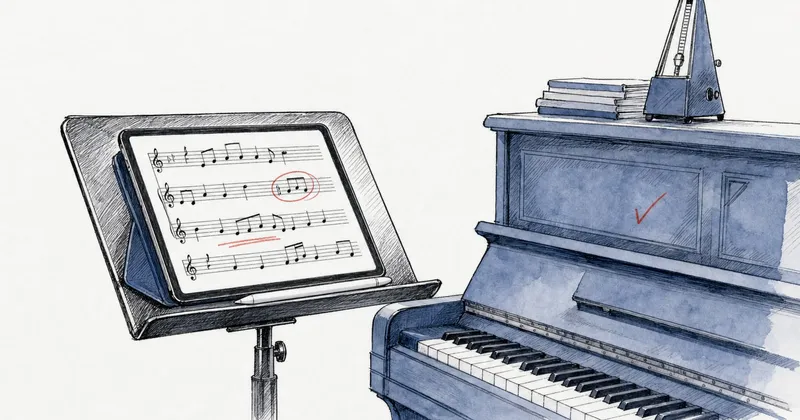
Best sheet music apps for iPad in 2026: 8 apps ranked
Eight sheet music apps with a native iPad version, ranked with weights that favor page turning and Apple Pencil annotation, with US prices checked in October 2026.
Four apps that turn a PDF or photo of sheet music into notation you can hear, ranked with weights that favor what they do with the result: playback, transposition and export. US prices checked in October 2026.
Disclosure: Newzik is a commercial partner of SheetMusicApps. Rankings follow our published methodology, and every app's facts come from official sources and are fact-checked twice. Read our disclosure
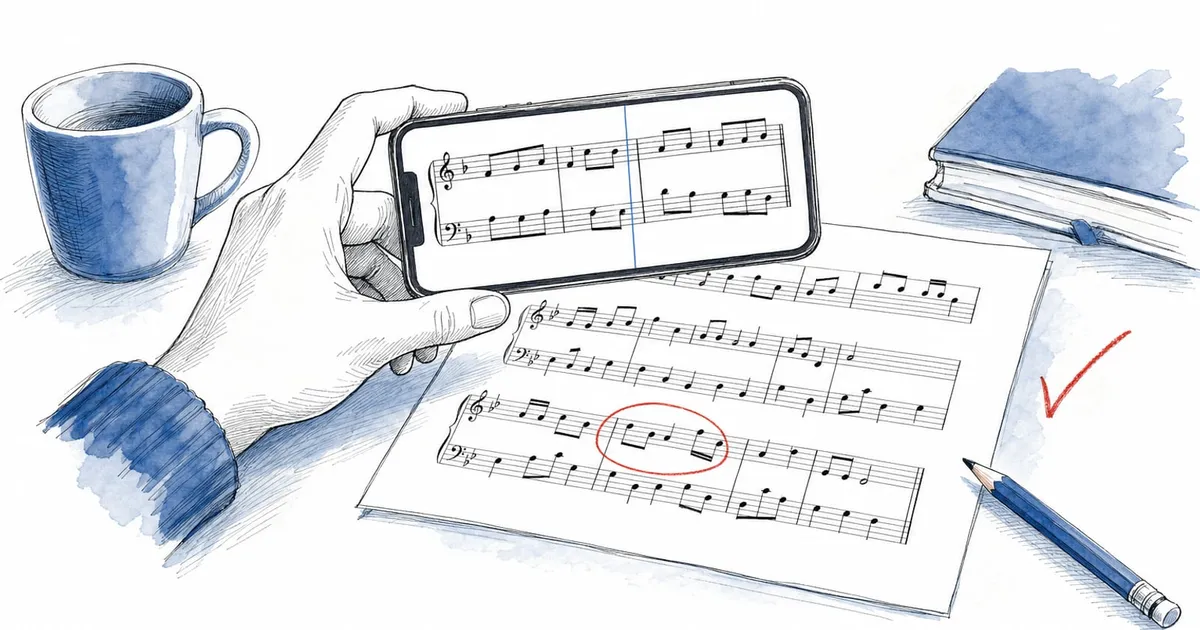
A sheet music scanner app does more than photograph a page. It reads the notes and turns the picture into notation the app understands, so it can play the music back, transpose it and export it to notation software. That is the difference between a scanner and the camera button in a PDF reader.
This page ranks the four apps we cover that convert a PDF or photo into interactive notation, with weights built for that job: smart notation (conversion, playback, transposition, export) counts for 45% of the score, value for money for 20%, platforms for 15%, and library and reading for 10% each. Annotation and sharing are not weighted. That is why an app’s score here can differ a lot from its score in our overall ranking, as the section below explains. How we rank describes each criterion. Prices are US prices as of October 2026.
Soundslice is the best sheet music scanner app on these weights, with 7.8, and Newzik is a tenth of a point behind at 7.7. PlayScore 2 (6.5) is the best scanner that runs offline on a phone, and MuseScore (6.2) converts scores on its website rather than in the app.

Best scanner for practice and editing
Interactive practice · Soundslice
Platforms
Price
Free / $50/yr · Free + paid plans
Soundslice’s scanner turns PDFs and photos of printed music into notation you can edit in its free browser editor, then play back, transpose up to an octave either way and sync to a recording. When the scanner is unsure, it asks you about the passage instead of guessing silently, and after a scan you can practice on the original image. It has the highest smart notation score of any app we cover (9.5).
It runs in any browser, on iPhone, iPad, Android, Windows, Mac or a Chromebook, with nothing to install. The free plan allows 2 trial scans a month, each capped at one page and 32 bars. Plus ($5/month or $50/year) raises that to 100 pages a month, up to 25 per scan, and adds MusicXML, PDF, MIDI and MP3 export; Teacher ($20/month or $200/year) gives 200 pages a month. Scanning keeps improving: scans have read lyrics in 20 languages since February 2026, and an August 2026 update made scanning faster.
The limits: it scans typeset music only, not handwriting. There is no native app, no offline mode for regular users, no documented pedal support and no pen or highlighter, so it is a practice and conversion tool rather than a stage reader. Transposition shifts the synth and uploaded MP3s, but not YouTube videos.

Best scanner inside a full reader
Sheet music reader · Newzik (Syncsing SAS)
Platforms
Price
Free / $24.99 · One-time + optional subscription
Newzik is a tenth of a point behind and does the conversion inside a full sheet music reader. LiveScore turns a PDF or scan into an interactive score with MIDI playback, a play-along cursor, a mixer, tempo change and measure looping, and it can transpose a PDF or scanned part to another key or clef, up to an octave. Premium exports the result as MusicXML or MIDI. The converted score sits next to your setlists, annotation layers and shared projects, and Smart Annotations (May 2026) can highlight the dynamics, articulations and accidentals on it.
It ranks second because value scores 5. The free version includes 10 LiveScore pages in total, the $24.99 Essentials purchase includes no LiveScore access according to Newzik’s help center (newzik.com lists 10 pages), and unlimited conversion, PDF transposition and MusicXML export need Premium at $9.99/month, $44.99/year or $179 lifetime. Newzik leads Soundslice on library, reading and platforms, which carry less weight on this page.
Accuracy has documented limits. Conversion needs an internet connection and takes a few minutes per page, tablature isn’t supported, several voices on one staff are “still fragile” in Newzik’s own words, and publisher-licensed scores can’t be converted. Notes can’t be edited inside Newzik. Recent App Store reviews report skipped notes, wrong note values and lost swing in playback, while others praise the accuracy. The native app runs only on iPad and iPhone, and LiveScore also works on Newzik Web. See the Newzik review.

Best offline scanner for phones
Score scanner · Organum (PlayScore)
Platforms
Price
Free / $34.99/yr · Free + paid plans
PlayScore 2 is the most direct answer to “is there an app that plays sheet music?”: point a phone at a printed page and it plays it back. Recognition goes beyond pitches to dynamics, hairpins, articulations, ornaments, tuplets and repeats, so playback follows the expression marks. You can mute, solo or rebalance each staff, give it one of 23 instrument sounds, change tempo and loop. Recognition runs on the device, offline, with no account and no ads.
The free version scans and plays single pages from the camera. On the US App Store, Productivity ($5.99/month or $34.99/year) adds multi-page scores, and Professional ($6.99/month or $59.99/year) adds PDF import and MusicXML export. It runs on iPhone, iPad, Android and Windows, with each store’s subscription sold separately, and choir directors can send locked per-voice rehearsal files that singers open for free.
It ranks third on low reading (3.5) and library (3) scores: documents live on one device, with no setlists or cloud library. Notes can’t be corrected in the app, and transposition applies to playback only. The developer asks for 300 DPI scans, and handwritten music, shape notes, guitar tab, old hymnbooks and screenshots are excluded or unreliable. Google Play rates it 3.58, and some 2026 reviews describe repeated recaptures and errors with repeats and key changes. Read the PlayScore 2 review.

Best for converting into MuseScore files
Sheet music library · MuseScore (Muse Group)
Platforms
Price
Free / from $6.99 · Free + paid plans
MuseScore’s scanner lives on its website, not in the app. Since July 2025, the NoteVision converter on MuseScore.com has turned uploaded sheet music into an editable MuseScore file, which you can correct in MuseScore Studio, the free desktop notation editor. Muse Group said in November 2025 that NoteVision would be free with upload limits and unlimited with PRO+.
The mobile app is a player for the MuseScore.com catalog of community arrangements, strongest in pop, film and game music. Playback with a moving cursor, tempo from 10% to 200% and looping is free, and transposition, the part mixer and offline use need PRO. It runs on iPhone, iPad, Android and the web.
It ranks last because the app itself cannot scan, edit or annotate, and it is not a reader for your own PDFs. Pricing is hard to follow: the US App Store lists Pro at $6.99, $39.99 and $49.99 without billing periods, and 37 of the 50 most recent US App Store reviews (September 1 to October 4, 2026) gave one or two stars, mostly over trials and billing. Read the MuseScore review.
Piascore demoed a MusicOCR feature that turns images or PDFs into MusicXML at NAMM 2026, but it has not shipped in the app. forScore, MobileSheets and SongbookPro can capture pages with the camera, but only as images, not notation.
It runs optical music recognition (OMR): software that finds the staves, notes, rests, clefs and markings on an image and rebuilds them as notation data, much as text recognition turns a scanned letter into editable words.
Once the page is notation rather than a picture, the app can play it, transpose it and export it as MusicXML or MIDI. A PDF reader only shows the picture: forScore’s own knowledge base says it cannot play back or transpose the notes in a PDF. The four apps here do different things with the result. Soundslice lets you edit the notes and sync them to a recording, Newzik keeps the score in a performance library, PlayScore 2 builds a rehearsal mixer, and MuseScore produces a file for its desktop editor.
Good enough to hear and practice a clean printed part, not good enough to trust without proofreading, and much weaker on handwriting. We don’t test recognition ourselves, so this section relies on the developers’ guidelines and on user reports.
Typeset scores at good resolution give the best results. PlayScore asks for 300 DPI scans, and its Android listing is titled “PlayScore2 needs hi-end camera”. Soundslice asks you to confirm passages it isn’t sure about. The engines keep extending what they read: Newzik’s April 2026 OMR update splits SATB voices on shared staves, Soundslice has detected chord diagrams since December 2025, and PlayScore 2 reads jazz-style fonts in beta.
Dense scores produce more errors. Recent App Store reviews of Newzik report skipped notes, wrong note values and changed measure lengths in playback, and some 2026 PlayScore 2 reviews describe errors with repeats and key changes. Listen through the whole piece once, and check repeats, key changes and passages with several voices on one staff.
Treat handwriting as unsupported. Soundslice scans typeset music only, PlayScore 2 lists handwritten music as excluded or unreliable, and Newzik’s May 2024 guidelines advise against importing it, although its AI page says very legible handwriting can work.
Soundslice is the one app here where you correct notes right after the scan, in its free editor. In Newzik and PlayScore 2, you export MusicXML (Premium or Professional) and correct it in notation software, and MuseScore’s NoteVision file opens in MuseScore Studio. Our PDF to MusicXML guide covers that workflow, and how to digitize sheet music covers scan settings.
Because this page weights different criteria. Smart notation counts for 45% here against 10% in our overall method, value for money counts double, and annotation and sharing count for nothing.
Soundslice rises from 5.8 overall to 7.8 here, because its low reading and annotation scores (4 each) barely count. Newzik drops from 8.0 to 7.7: its 9.5 on sharing and 9 on annotation, which put it first overall, don’t count here, and its value score (5) weighs twice as much. PlayScore 2 (4.4 overall, 6.5 here) and MuseScore (4.7 overall, 6.2 here) gain for the same reason as Soundslice. If you want one app to read from on stage and convert the occasional PDF, Newzik’s place in the overall ranking is the more useful number.
Soundslice and Newzik open MusicXML, convert PDFs, play back and transpose; PlayScore 2 transposes playback only and can’t open MusicXML, and MuseScore’s conversion happens on its website. The table compares score, platforms and starting price, and the feature matrix the notation and practice tools.
| App | Our score | Platforms | Starting price | Free tier | Best for |
|---|---|---|---|---|---|
1 Soundslice Soundslice | 5.8 | Web | Free / $50/yr | Yes | Students, teachers and guitarists who learn from notation synced to audio or video. |
2 Newzik Newzik | 8.0 | iPad, iPhone, Web | Free / $24.99 | Yes | Orchestras, choirs, bands and teachers who share parts and markings, and players who want PDFs to play back. |
3 PlayScore 2 PlayScore 2 | 4.4 | iPad, iPhone, Android, Windows | Free / $34.99/yr | Yes | Choir singers, students and directors who want to hear a printed score or learn a part. |
4 MuseScore MuseScore | 4.7 | iPad, iPhone, Android, Web | Free / from $6.99 | Yes | Learners who want playable arrangements of pop, film and game music. |
| Features |  Soundslice Soundslice |  Newzik Newzik |  PlayScore 2 PlayScore 2 |  MuseScore MuseScore |
|---|---|---|---|---|
| Annotation & practice | ||||
| Annotation | Partly | Yes | Partly | No |
| Audio linked to scores | Yes | Yes | No | Partly |
| Recording | Paid plan | Yes | No | Not confirmed |
| Metronome | Yes | Yes | Yes | Paid plan |
| Tuner | No | Yes | No | Not confirmed |
| Smart notation | ||||
| Opens MusicXML | Yes | Yes | No | Not confirmed |
| PDF to interactive score | Yes | Paid plan | Yes | Partly |
| Notation playback | Yes | Yes | Yes | Yes |
| Transposition | Yes | Yes | Partly | Paid plan |
| Chord & lyric charts | Partly | Yes | No | No |
To compare a scanner with a general reader, add it in the comparison tool.
Start with what you will do with the converted score.
To change the key of a part you will print, see our guide to transposing sheet music, and for free readers that don’t scan, our free sheet music apps.
Best apps by need
Eight sheet music apps with a native iPad version, ranked with weights that favor page turning and Apple Pencil annotation, with US prices checked in October 2026.
Best apps by need
Five sheet music readers ranked for orchestras and sections, with weights that favor sharing parts and markings, plus where licensed libraries such as nkoda and Henle Library fit. US prices checked in October 2026.
Best apps by need
Six sheet music apps for pianists, ranked with weights that favor page turning and annotation, plus what matters at the keyboard: half-page turns, two-page view, hands-free turns and urtext editions. US prices checked in October 2026.
Filter every sheet music app by the devices you use, how you want to pay and the features you can't do without.