Best piano sheet music reader in 2026: 6 apps ranked
Six sheet music apps for pianists, ranked with weights that favor page turning and annotation, plus what matters at the keyboard: half-page turns, two-page view, hands-free turns and urtext editions. US prices checked in October 2026.
SheetMusicApps Editorial Team·Published ·9 min read
Disclosure: Newzik is a commercial partner of SheetMusicApps. Rankings follow our published methodology, and every app's facts come from official sources and are fact-checked twice. Read our disclosure
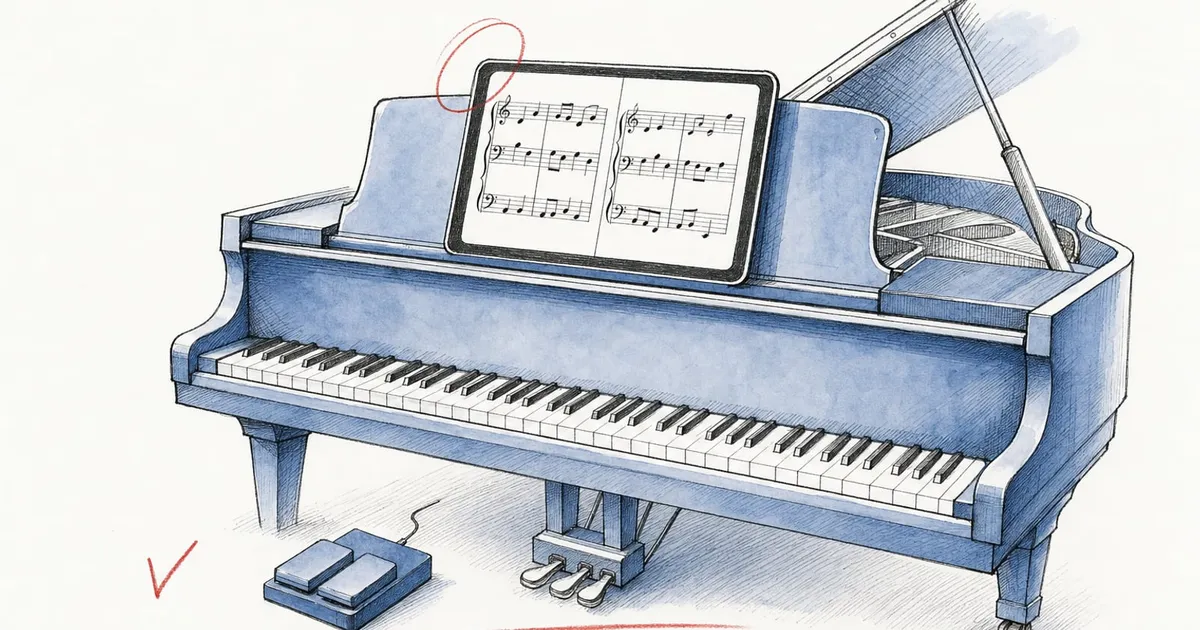
Pianists ask more of a sheet music reader than most players. Your hands are busy until the last beat of the page, your feet are often on the damper and una corda pedals, and a two-page spread of a sonata needs room on the screen. A good piano sheet music reader answers with half-page turns, a usable two-page view and page turns that need no hands.
This page ranks six apps for digital sheet music on the piano, with weights built for the instrument. Reading and page turning count for 30% of the score, annotation for 20%, library and setlists for 15%, smart notation, value for money and platforms for 10% each, and sharing for 5%. It covers sheet music readers, libraries, stores and practice apps; chord-chart and band apps are compared in our worship team ranking. How we rank explains each criterion, and prices are US prices as of October 2026.
Our picks, ranked
MobileSheets is the best piano sheet music reader on these weights, with 8.4, and forScore is close behind at 8.2. Newzik (7.9) is third, and Piascore, unrealBook and Enote finish within a tenth of a point of each other.
1Rank 1
Best overall for pianists
MobileSheets
Sheet music reader · Zubersoft
Score for this list8.4/10Overall 7.9
Platforms
iPad
iPhone
Android
Windows
Price
$15.99 · One-time purchase
MobileSheets covers every page-turn method a pianist uses. Its dedicated Half Page mode shows the top of the next page while you play the bottom of the current one, two-page view puts two pages side by side, and face gestures (an open mouth or a smile) turn pages while your feet stay on the pedals. Bluetooth or USB pedals with up to six mapped switches cover the rest, and Book mode pairs two tablets as one two-page display.
It scores 9 on reading and annotation and 9.5 on library. The annotation tools include a piano-staff tool, crescendo shapes, hundreds of stamps, layers and stylus pressure. Keyboard players also get deep MIDI control, including registration linking for KORG Pa-series and Yamaha Genos arrangers.
It edges forScore here because this list gives 10% each to platforms, value and smart notation: MobileSheets runs natively on iPad, Android and Windows for a one-time $15.99 per platform, and it adds ChordPro charts with transposition. MobileSheetsLite lets you test it with 8 songs. If you play only on an iPad, forScore’s higher reading and annotation scores matter more. Expect a learning curve, sync by manual merge through a cloud folder, and some 2025 and 2026 reports of crashes or freezes. See the MobileSheets review and forScore vs MobileSheets.
What we like
Native apps on Android, Windows, iPad and iPhone
Every page-turn method, including face gestures and Connect Tablets
Library tools built for thousands of scores
What could be better
Each platform is a separate purchase
Sync is a manual cloud-folder merge, with no account
No MusicXML, notation playback or OMR
Best for
Players on Android tablets or Windows 2-in-1s, and anyone with a very large library who wants one-time pricing.
Skip it if
Players who want automatic account sync, notation playback or MusicXML.
2Rank 2
Best for pianists on iPad
forScore
Sheet music reader · forScore LLC
Score for this list8.2/10Overall 7.5
Platforms
iPad
iPhone
Mac
Price
$24.99 · One-time + optional subscription
forScore has the highest reading, annotation and library scores here (9.5 each), and it ranks first on our iPad list. Half-page turns are adjustable, and since version 15.2 partial turns also work in Best Fit landscape and multi-page views, so you can keep them in a two-page layout. Links and buttons jump to repeats, and performance mode blocks accidental gestures.
For hands-free turns, AirPods head gestures are part of the base app and work with AirPods Pro, AirPods 3 or AirPods Max. Camera face gestures need forScore Pro ($14.99/year). The Apple Pencil tools are the deepest on this list: unlimited pen presets, layers, stamps and dynamic shapes such as slurs and crescendos. Practice tools include a metronome, a tuner, a recorder and an 88-key piano keyboard.
One $24.99 purchase covers iPhone, iPad, Mac and Vision Pro. It ranks second because it runs only on Apple devices, has no free trial of the app, and cannot play back or transpose a PDF. Face and AirPods gestures do not work on the Mac. Read the forScore review.
What we like
Every page-turn method: pedals, AirPods gestures, face gestures (Pro), half-page turns and Cue
Annotation with layers, stamps, presets and dynamic shapes
One $24.99 purchase covers iPhone, iPad, Mac and Vision Pro
What could be better
Apple only: no Android, Windows or web version
No MusicXML, notation playback, transposition or OMR
No free trial before buying the app
Best for
Solo players, pianists and accompanists on iPad or Mac who want the most refined reader for a one-time price.
Skip it if
Bands with Android or Windows members, and anyone who needs playback, transposition or shared ensemble libraries.
3Rank 3
Best for pianists who play with others
Newzik
Sheet music reader · Newzik (Syncsing SAS)
Score for this list7.9/10Overall 8.0
Platforms
iPad
iPhone
Web
Price
Free / $24.99 · One-time + optional subscription
Newzik is the pick for accompanists, chamber pianists and teachers who share scores. In a shared project, each musician’s markings sit on a private, public or shared annotation layer over the same part, and parts can be replaced or versioned. Its annotation score (9) matches MobileSheets’, with a Shapes tool for slurs and hairpins added in February 2026.
LiveScore turns a PDF into notation you can play back, loop and transpose, which helps when you learn an accompaniment or need a song in another key; no other app on this list converts PDFs. For reading, Newzik has half-page turns in portrait with an adjustable split point, a landscape double-page view that can advance one page at a time, and support for Bluetooth and MIDI pedals. Face-gesture turns need Premium and a Face ID iPad.
Who should skip it: pianists who want to pay once, since LiveScore, face gestures and unlimited projects need Premium ($44.99/year), and two-tablet setups, because Newzik has had no linked page turns since Band Mode was removed in version 6.0 (April 2021). If Premium lapses with more than 3 pieces in your library, access is restricted until you resubscribe or buy Essentials ($24.99 once). Recent App Store reviews report LiveScore playback errors on complex scores, and the reading app runs only on iPad and iPhone. See the Newzik review and Newzik vs forScore.
What we like
Shared projects with private, public or shared annotation layers for whole sections and ensembles
LiveScore turns PDFs into notation you can play back, transpose and export to MusicXML or MIDI
Newzik Web lets members without an iPad reach the same library from any computer
What could be better
No native Android, Windows or Mac app: other devices get Newzik Web in a browser
LiveScore, face gestures and unlimited projects need Premium ($44.99/year)
If Premium lapses with more than 3 pieces, library access is restricted
Best for
Orchestras, choirs, bands and teachers who share parts and markings, and players who want PDFs to play back.
Skip it if
Android or Windows tablet users, solo players who want a one-time price, and anyone who needs two-tablet page turns.
4Rank 4
Best free option for pianists
Piascore
Sheet music reader · Piascore, Inc.
Score for this list6.9/10Overall 6.3
Platforms
iPad
iPhone
Price
Free · Free + paid plans
Piascore gives pianists the main page-turn tools for free: half-page turns in portrait, Bluetooth pedals, face-gesture turns on Face ID devices and a two-page view. Through a 2015 partnership with Roland, the pedals of some Roland digital pianos, such as the LX-17 and HP605, can turn pages over Bluetooth, so on those pianos you need no separate page-turner pedal.
IMSLP search is built in, so you can download public-domain editions without leaving the app, and the annotation stamps include fingerings, dynamics and accidentals. Its value score (9) is the highest here. It ties unrealBook at 6.9, held back by annotation without advanced layers (7.5) and by platforms (3.5): it runs only on iPad and iPhone, with no sync between them.
Face-gesture turns pause for about 2 seconds after each turn, and user reports on their reliability are mixed. Version 7 (September 2026) needs iPadOS 26 and drew early reports of slower page turns and crashes, many of them fixed in 7.0.5 to 7.0.9. The optional Full Upgrade is a one-time $5.99. Read the Piascore review.
What we like
Free reader with annotation, setlists and half-page turns
Face-gesture and pedal page turns
IMSLP search built in for public-domain scores
What could be better
iPad and iPhone only
No cloud sync of scores or annotations
No MusicXML, playback or transposition
Best for
Students and players on iPad or iPhone who want a solid reader without paying.
Skip it if
Anyone who needs Android or Windows, or a library that syncs between devices.
5Rank 5
Best for jazz pianists
unrealBook
Sheet music reader · Aron Nelson
Score for this list6.9/10Overall 6.3
Platforms
iPad
Price
$14.99 · One-time purchase
unrealBook is built for players who read from fake books, which makes it a natural fit for jazz and gigging pianists. You can import a book’s table of contents, build indexes, pull single tunes into a setlist and jump to a D.S. or a coda with on-page hot spots, MIDI or a Bluetooth MIDI foot switch. Lyrics, ChordPro and chord chart editors arrived in version 5.0 (August 2025).
It scores 8 on reading and library and costs a one-time $14.99 with no account. In master and slave mode, a bandleader’s iPad turns pages on other iPads, and since version 4.48 the two-page view follows the master. Half-page and face-gesture turns are not documented, which matters for long classical pages. It runs on iPad only (unrealBook Mobile for iPhone is a separate $4.99 app), with no cloud library beyond Dropbox and Box.
What we like
One-time $14.99, no account
Strong fake-book indexing
Bandleader control of other iPads
What could be better
iPad only
No cloud library or accounts
Dated, menu-heavy interface
Best for
Jazz and gigging musicians who play from fake books on an iPad.
Skip it if
Anyone outside the iPad, or players who want a modern interface and cloud sync.
6Rank 6
Best for comparing classical editions
Enote
Sheet music library · Enote GmbH
Score for this list6.8/10Overall 6.5
Platforms
iPad
iPhone
Android
Mac
Price
Free / $9.99/mo · Free + paid plans
Enote is for classical pianists who want several editions of the same work at hand. Its Premium library of more than 80,000 scores often includes several editions per work, which you can switch between in the score view, and its 2024 help center counted more than 6,000 urtext editions. Quick Jumps go straight to repeats, D.S., D.C. and codas, and Score Lookup opens the full score from a part, which helps in chamber music.
Your own PDFs and MusicXML files are free to import and annotate, half-page turns work in landscape when two-page view is off, and Bluetooth pedals are supported. Annotation scores 8, with layers you can share with other Enote users. There are no hands-free turns and no playback. Premium costs $9.99/month or $99.99/year and is needed for the library, sync and backup, including public-domain scores since November 2025. The Android version is limited, and the US App Store rating rests on 17 ratings.
What we like
Free import of PDFs and MusicXML with no song limit
80,000+ classical scores in Premium, often in several editions
Score Lookup from your part to the full score
What could be better
The library, sync and backup need Premium
Android version is limited and does not sync
No hands-free page turns or notation playback
Best for
Classical players and students who compare editions and read their own files on Apple devices.
Skip it if
Android users, and players who need playback or hands-free page turns.
Four apps just missed the list. Musicnotes (6.1) suits pianists who buy pop and Broadway arrangements and want playback and alternate keys, and nkoda (6.1) streams more than 100,000 licensed classical editions, though not Henle’s. Tomplay (6.0) has Smart Page Turn, which listens to you play piano scores through the microphone or MIDI, but it plays only its own catalog, for $19.99/month or $119.99/year. Henle Library (5.7) is covered below. See the Musicnotes, nkoda and Tomplay reviews.
How do the top piano apps compare?
MobileSheets and forScore lead on reading, with every page-turn method we track; Newzik is the only one that turns PDFs into playable notation. The first table covers all six apps, the second the performance and practice features of the top four.
Students and players on iPad or iPhone who want a solid reader without paying.
5unrealBook
6.3
iPad
$14.99
No
Jazz and gigging musicians who play from fake books on an iPad.
6Enote
6.5
iPad, iPhone, Android, Mac
Free / $9.99/mo
Yes
Classical players and students who compare editions and read their own files on Apple devices.
Features
MobileSheets
forScore
Newzik
Piascore
Reading & performance
Page-turner pedalsTurn pages with Bluetooth pedals such as AirTurn or PageFlip.
Yes
Yes
Yes
Yes
Hands-free page turnsTurn pages with a face or head gesture, or let the app follow your playing.
Yes
Yes
Paid plan
Yes
Half-page turnsShow the top of the next page early so you never lose your place.
Yes
Yes
Yes
Yes
Synced page turnsPage turns linked across several devices, such as two tablets side by side.
Yes
Yes
No
Yes
SetlistsOrdered setlists or playlists of scores for a rehearsal or gig.
Yes
Yes
Yes
Yes
Works offlineYour scores stay available without a connection.
Yes
Yes
Yes
Yes
Annotation & practice
AnnotationDraw, write, highlight or stamp markings on your scores.
Yes
Yes
Yes
Yes
Audio linked to scoresAttach recordings or backing tracks and play them from the score.
Yes
Yes
Yes
Paid plan
RecordingRecord yourself inside the app.
No
Yes
Yes
Paid plan
MetronomeA built-in metronome.
Yes
Yes
Yes
Yes
TunerA built-in tuner.
No
Yes
Yes
Paid plan
The performance rows show where Newzik loses ground on reading: no synced page turns, and face gestures only with Premium. Use the comparison tool to add other apps.
How do you choose a piano sheet music reader?
Start with your screen and how you will turn pages, then with the repertoire you need. A pianist who plays only from an iPad should look first at forScore; one who also uses an Android tablet or a Windows 2-in-1 should look at MobileSheets.
Do you need half-page turns?
Yes, if you play anything with fast passages at the bottom of a page. A half-page turn shows the top of the next page while you finish the current one, so the turn can happen whenever you have a free moment rather than on the last beat. MobileSheets, forScore, Newzik, Piascore and Enote all offer it; unrealBook does not document it, and Henle Library does not have it.
Is two-page view worth a larger iPad?
Two-page view pays off on a large screen. Side by side, each page gets half the display, so on a smaller iPad the notes shrink. All six apps here have a two-page or double-page view, and MobileSheets’ Book mode or forScore’s separate Cue app ($4.99) can spread two pages across two tablets instead. Our guide to the best iPad for sheet music compares screen sizes.
How do you turn pages when both feet are on the pedals?
Use your face, your AirPods or the piano itself. With your right foot on the damper pedal, a page-turner pedal has to go under the left foot, next to the una corda. Face gestures avoid that: Piascore includes them for free, MobileSheets in its $15.99 app, forScore with Pro and Newzik with Premium. forScore also reads AirPods head gestures in the base app, and some Roland digital pianos turn pages in Piascore with their own pedals. Our page-turner pedal guide covers pedals that suit seated playing.
Where do you get urtext editions?
Henle Library sells Henle’s urtext editions in its own app, piece by piece or movement by movement, with fingerings by performers such as Schnabel and Arrau that you can switch on for selected works. The app is free, credits cost from $0.99 for 10 to $79.99 for 1,000, and Henle allows exporting purchases as PDFs for other readers such as forScore, at reduced quality. It has no half-page turns and is rated 2.97 on the US App Store. Enote’s Premium library is the other route, and public-domain editions are free through IMSLP, built into Piascore.
Frequently asked questions
What is the best piano sheet music reader?
MobileSheets, with 8.4 on our piano weights. It has a dedicated half-page mode, two-page view, face-gesture and pedal page turns, and a one-time $15.99 price per platform on iPad, Android and Windows. forScore is close behind at 8.2 and is the better choice if you only use Apple devices.
What is the best sheet music app for piano on iPad?
forScore. It has the highest reading and annotation scores in our comparison, adjustable half-page turns, AirPods head gestures and deep Apple Pencil tools, for a one-time $24.99 that covers iPhone, iPad, Mac and Vision Pro. It also ranks first on our iPad list, a tenth of a point ahead of MobileSheets.
How do pianists turn pages hands-free?
With face gestures, AirPods or a pedal under the left foot. Piascore includes face-gesture turns for free on Face ID devices, MobileSheets includes them in its $15.99 app, forScore needs Pro and Newzik needs Premium. forScore also reads AirPods head gestures in the base app, and the pedals of some Roland digital pianos can turn pages in Piascore.
Is there a free piano sheet music reader?
Yes. Piascore is free on iPad and iPhone with annotation, setlists, half-page turns, Bluetooth pedals, face-gesture turns and IMSLP downloads, and its optional Full Upgrade costs a one-time $5.99. Enote reads your own PDFs and MusicXML files for free on Apple devices, and MobileSheetsLite holds 8 songs.
Can you read Henle urtext editions on an iPad?
Yes, in Henle Library, G. Henle Verlag's own app. It is free to download, you buy pieces, movements or parts with credits, and you can switch on fingerings by performers such as Artur Schnabel or Claudio Arrau for selected works. It has no half-page turns and is rated 2.97 on the US App Store.
Five sheet music readers ranked for orchestras and sections, with weights that favor sharing parts and markings, plus where licensed libraries such as nkoda and Henle Library fit. US prices checked in October 2026.
Five sheet music apps with a native Windows version for PCs, Surface and other 2-in-1s, plus a plain look at which browser-based readers work on stage. US prices checked in October 2026.
Eight sheet music apps with a native iPad version, ranked with weights that favor page turning and Apple Pencil annotation, with US prices checked in October 2026.
Read more
Stilldeciding?Puttheappssidebyside
Filter every sheet music app by the devices you use, how you want to pay and the features you can't do without.